From player list to padel standings
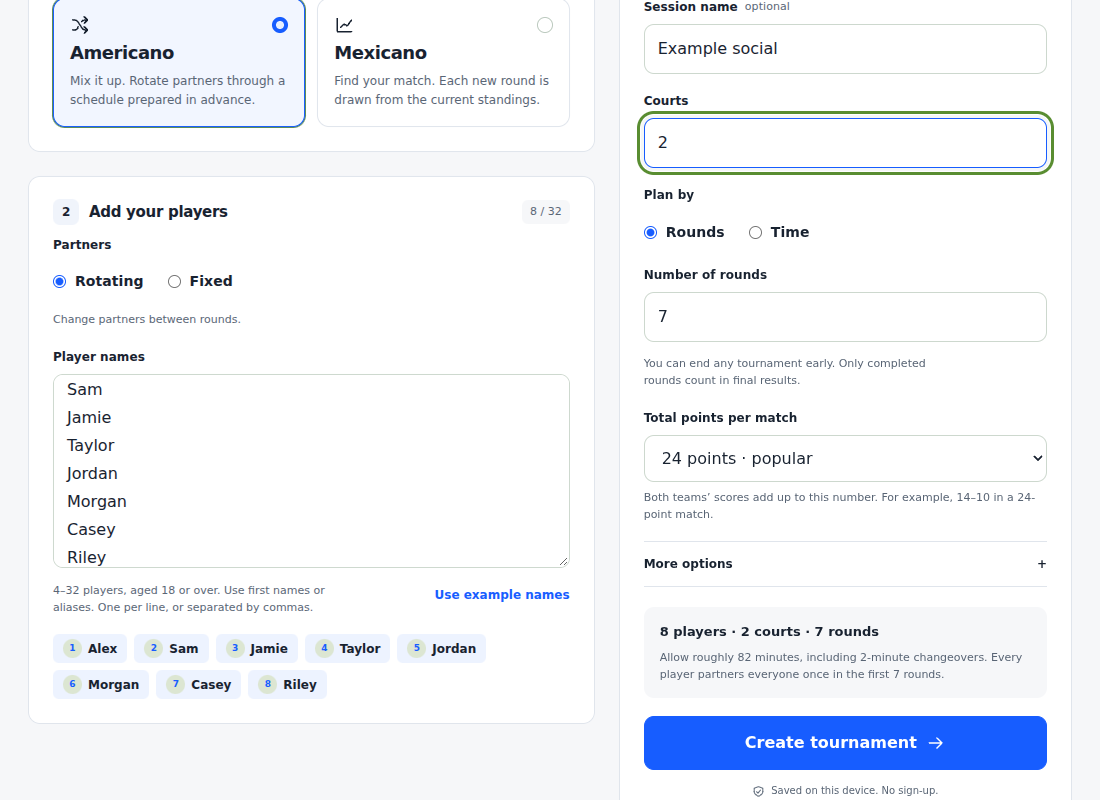
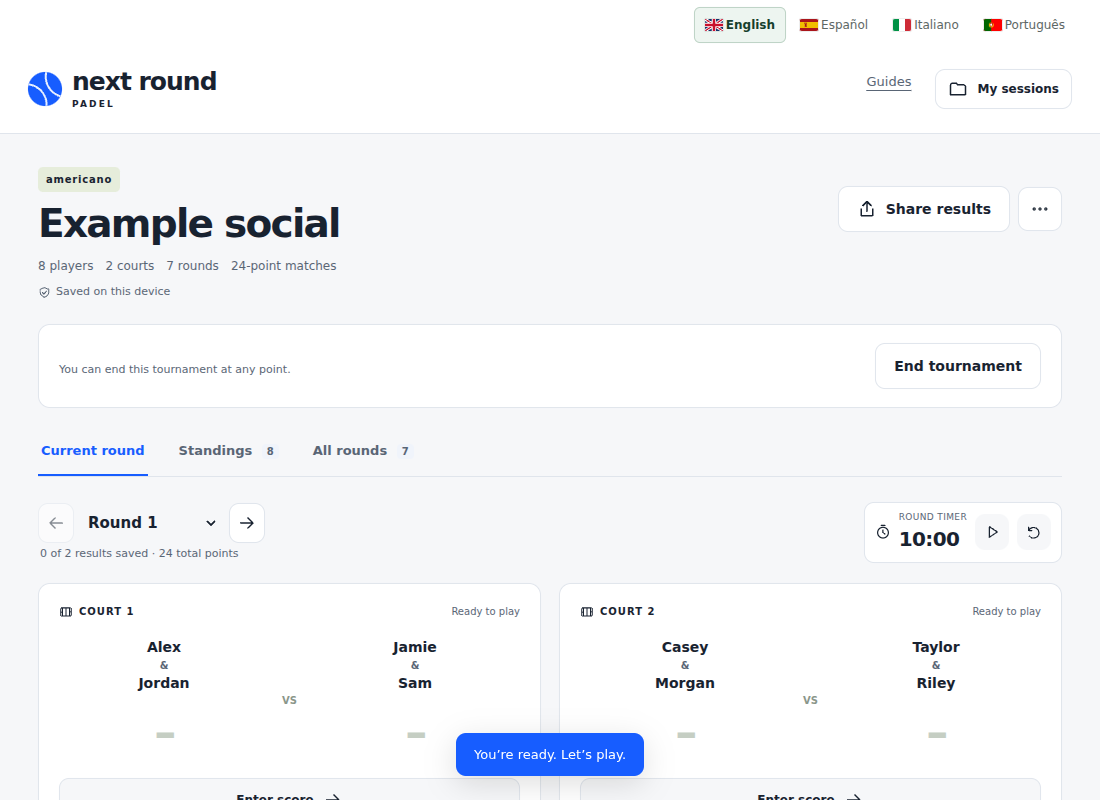
This short recording uses the actual organiser with fictional example names. It shows an eight-player Americano on two courts, including entering both results in the first round and checking the standings.
Create a session →An actual organiser demonstration. No spoken audio; written steps below.
Follow the same steps
- Choose Americano. Enter eight names, one per line. Keep rotating partners, or choose Fixed to preserve pairs.
- Select two courts and 24 points per match. Choose your round count or a time target, then create the tournament.
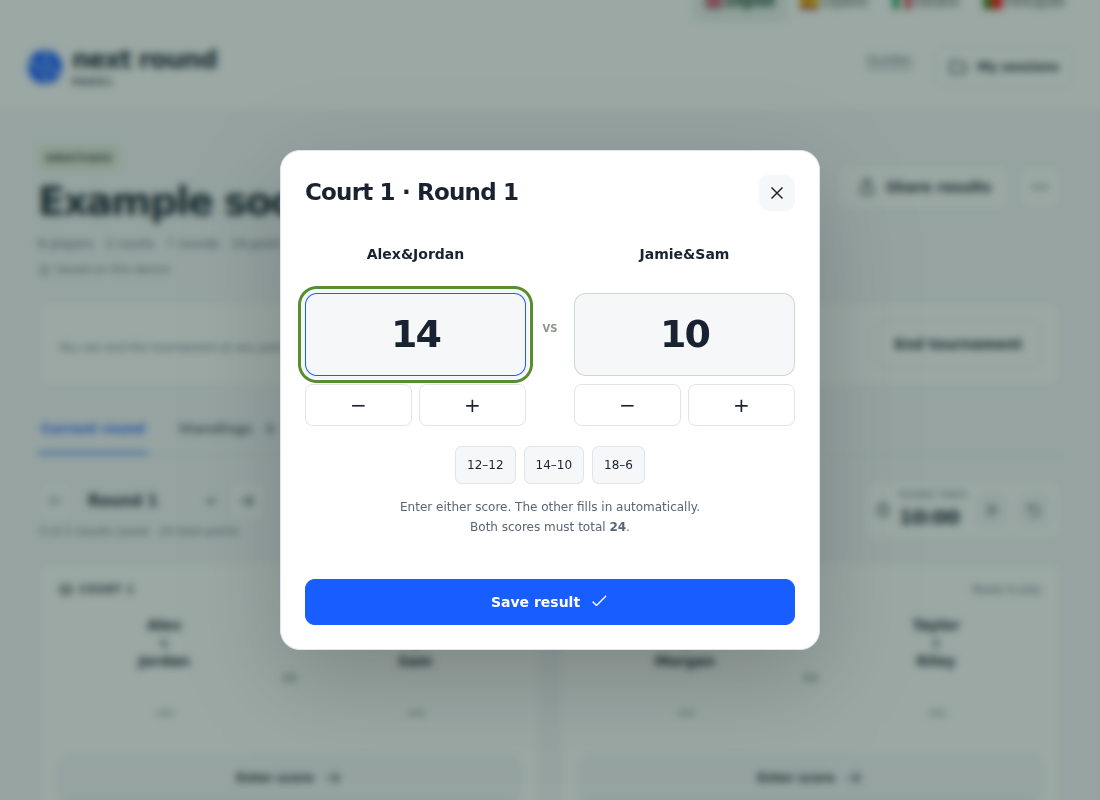
- Read the court assignments. Tap Enter score and enter one team’s result; the other fills automatically to total 24.
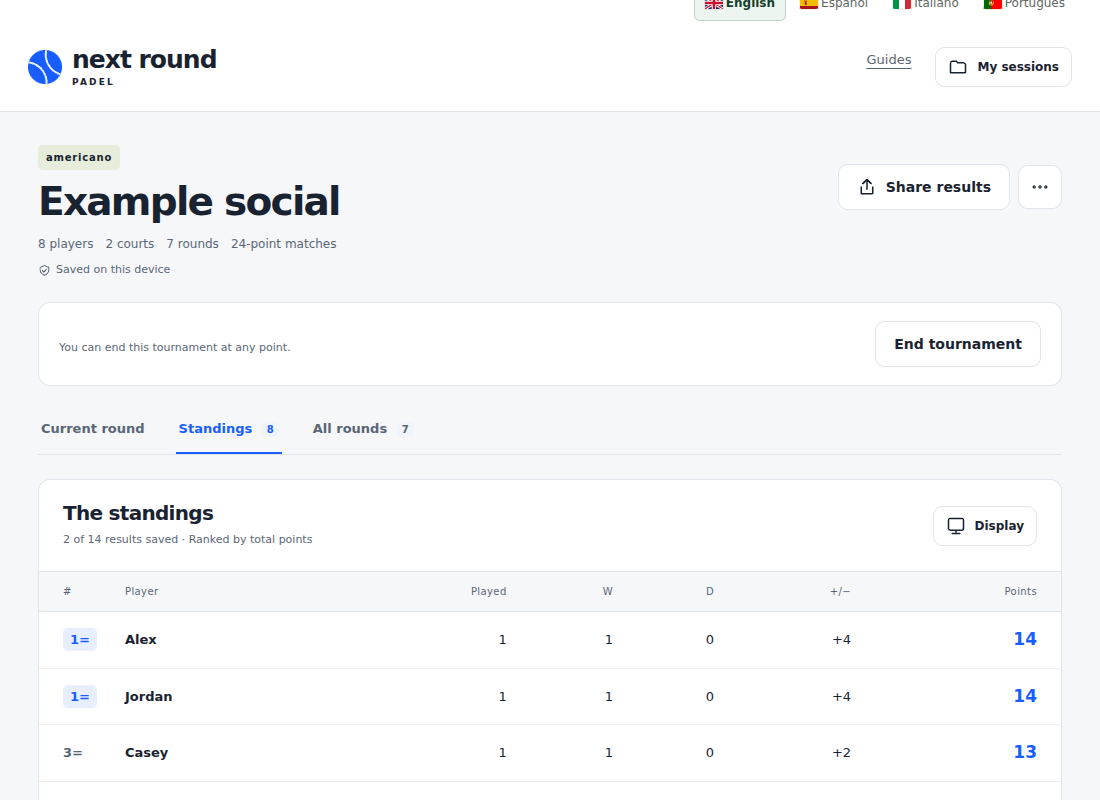
- Save both courts’ results. Open Standings to see the updated table.
- Continue through the draw, or use End tournament when ready. Final results include fully completed rounds only.
Recording transcript and explanation
The recording starts on setup. Eight example names are entered and a tournament is created. The first round shows two court assignments. The organiser records 14–10 on the first court and 13–11 on the second, then opens the standings. These are demonstration scores, not a real club event.
The recording has no spoken audio. The screenshots below highlight setup, fixtures, score entry and standings. The recording’s interface is English; the surrounding instructions are available in all four languages.
Keep or share your results
Use the session menu to download a backup or export results. Share results lets you create a branded vertical graphic or a read-only snapshot. A snapshot does not update after sharing. Live QR syncing is not connected yet.
Use first names or aliases and share links only with your group. Sessions are stored in this browser, so export a backup before clearing browser data or moving to another device.